How to Build a Budget-Friendly Tech Setup
Did you know that nearly 70% of remote workers use adjustable standing desks and ergonomic gear to boost productivity? Building a budget tech setup is key to staying efficient without spending too much. I learned this while setting up my first PC, realizing the importance of knowing what you need.
With tech costs going up, getting the right gear can mean years of use without needing to upgrade often. In this article, I’ll share tips on creating an affordable tech setup that fits your needs.
Key Takeaways
- Identify your specific tech needs before selecting components.
- Opt for affordable tech solutions like refurbished devices to save costs.
- Integrate functional items such as an adjustable desk and noise-canceling headphones.
- Assess your workspace for functionality, including outlet availability and lighting.
- Plan and budget for future tech upgrades while keeping track of past expenses.
Understanding Your Tech Requirements
Starting a budget tech setup means first figuring out what you need. I think about the tasks I’ll do and what tech I need for them. Every workspace is different, so knowing what’s most important helps me shop smarter.
I look at must-haves like a good webcam or a desk that adjusts. These are the basics that make a difference.
Assessing Your Needs
Sorting out your tech needs is key. I group them into must-haves, near-future needs, and nice-to-haves. This helps me budget better and stay within my limits.
Talking to tech experts and thinking about future goals helps me make smart choices. It ensures my tech setup is both affordable and effective.
Determining Essential Components
I make a list of the must-haves for my tech setup. This includes a computer, monitor, and tools like a wireless keyboard and mouse. These items are vital for getting work done efficiently.
By focusing on these basics, I avoid spending too much on things I don’t really need. This approach boosts my productivity and keeps my workspace organized.
Choosing the Right Components for a Budget Tech Setup
Choosing the right parts is key for a budget-friendly tech setup. The core components are the heart of the system, making sure everything works well. I’ve found ways to get great performance without spending too much, making setups for both work and play.
Core Components Overview
A PC needs specific parts to work right. These include a motherboard, CPU, GPU, RAM, storage, power supply, and case. Each part is vital for the system’s performance and stability.
I’ve picked the ASUS Prime B450M-A motherboard for its good value and features. It’s a solid choice for those on a budget.
Cost-Effective Options
Looking for affordable hardware can save a lot without losing quality. For example, an SSD like the Crucial 1TB P3 is much faster than traditional HDDs and uses less energy.
Starting with 16GB of RAM from brands like Corsair or G.Skill helps with multitasking. It makes everyday tasks easier. For gaming, the AMD Radeon RX 5600 XT offers great performance at a good price, ensuring gamers get good graphics.
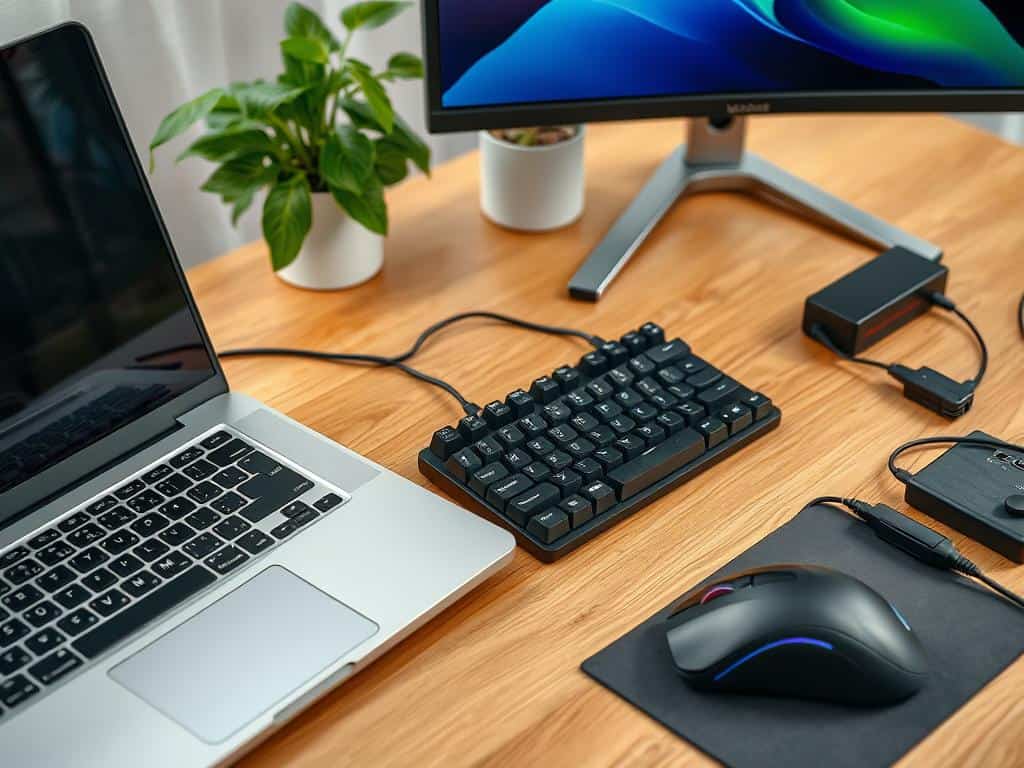
Affordable options also apply to peripherals. The Redragon K552 Mechanical Gaming Keyboard and HyperX Cloud Stinger 2 headset are excellent choices. They offer quality without going over budget. In summary, picking each part wisely can lead to a budget-friendly yet powerful tech setup.
DIY Setup: Tips and Tools for Assembling Your Tech
Starting a DIY tech setup needs careful planning and the right tools. A good workspace is key for a smooth assembly. I made sure to avoid static-prone materials like carpets.
Having basic tools made a big difference. A good Philips screwdriver, long-nose pliers, and a reliable lamp were essential. These tools helped me get ready for the task.
Gathering the Necessary Tools
Before starting, I gathered all the tools I needed. A quality Philips screwdriver was the first thing I grabbed. It made handling screws easy.
Long-nose pliers were great for small parts. They helped me place each piece right. A bright lamp lit up the area, helping me see small details.
With these tools, I felt ready to start the project. I followed the building guide step by step.
Steps for Building Your Setup
With my workspace set up and tools ready, I started the DIY tech setup. I mounted the Asus Prime B660-Plus D4 motherboard first. It was the base of my build.
I added the Intel Core i7-13700K processor and RAM outside the case. This made sure everything worked before moving it inside. About 20% of builders do this.
After confirming the setup worked, I moved the parts into the Corsair 4000D Airflow case. I kept everything organized as I went.
Then, I connected the power and peripherals. I made sure the CPU fan was connected to the right spot on the motherboard. This kept the CPU cool.
Applying thermal paste was a key step. I used a small amount on the processor. Keeping things organized helped avoid problems later on.
Conclusion
Creating a budget tech setup is easier than you think. It’s all about knowing what you need and choosing wisely. I found that focusing on the basics helped me save money without sacrificing quality.
Setting up a home office or gaming station can be exciting. Using budgeting tools makes it easier. Cloud-based solutions like QuickBooks and Zoho Expense help save time and improve accuracy.
My journey showed that saving money doesn’t mean sacrificing quality. By doing things myself and choosing the right parts, I built a great tech setup. It’s all about smart planning and a DIY attitude.

How to Create the Ultimate Digital Workspace
Ergonomic Tech: Stay Comfortable While You Work

Top 5 Graphic Design Tools You Should Know About
About The Author
