The Immutable Anchor: Rot Security
I remember sitting in my workshop last Tuesday, surrounded by the smell of ozone and burnt solder, trying to calibrate the flight controller on my newest custom drone. I’d spent weeks fine-tuning the code, only to realize that without a solid foundation, the whole thing was basically a flying paperweight waiting to be hijacked. It hit me then: we spend all this time obsessing over flashy software updates and sleek interfaces, but we completely ignore the bedrock. Most tech pundits treat Hardware-Root-of-Trust (RoT) Security like some esoteric, impenetrable black box meant only for Silicon Valley elites, but that’s a total myth. In reality, it’s the only thing standing between your digital life and a total systemic meltdown.
I’m not here to drown you in academic jargon or sell you on some overpriced enterprise hype. Instead, I’m going to pull back the curtain and show you how this technology actually works in the wild. Think of me as your guide through the digital nebula, translating complex silicon architecture into something you can actually use and understand. By the end of this, you’ll see exactly why this “cosmic anchor” is the most vital component in your tech stack, and how it keeps your devices from going rogue before the adventure even begins.
Table of Contents
- Forging the Immutable Boot Process in Silicon
- Decoding Trusted Platform Module Functionality
- 🛡️ Five Ways to Ensure Your Digital Citadel Stays Unbreachable
- The Quick Transmission: Your RoT Cheat Sheet
- The Foundation of Our Digital Fortress
- Navigating the Digital Frontier with Confidence
- Frequently Asked Questions
Forging the Immutable Boot Process in Silicon
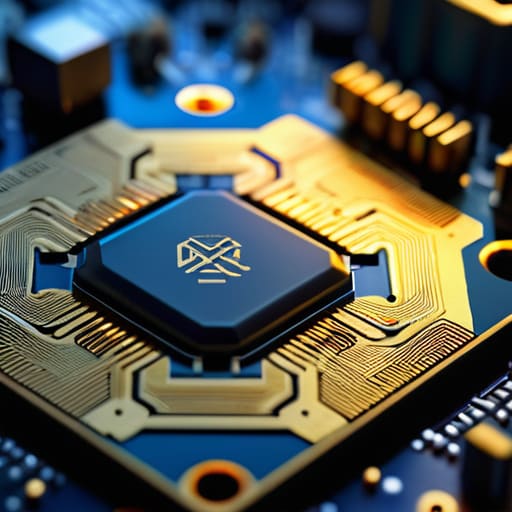
So, how do we actually build this digital fortress? It all starts at the very foundation of the machine, deep within the microscopic architecture of the chip itself. We’re talking about creating an immutable boot process, which is essentially a set of instructions etched into the silicon that can never be altered by a rogue piece of software. Imagine if the Jedi Code wasn’t just a philosophy, but a physical part of a lightsaber’s circuitry—it’s baked in, unchangeable, and serves as the absolute baseline for everything that follows.
By utilizing a robust silicon-based security architecture, engineers ensure that the very first spark of electricity that hits your processor initiates a chain of command that is mathematically verified. This isn’t just about checking a box; it’s about firmware integrity verification at every single stage of the startup sequence. Each layer of code must present its “credentials” to the layer below it, much like a high-stakes security clearance in a sci-fi thriller. If a single line of code looks suspicious or doesn’t match its original blueprint, the whole system halts, preventing a digital catastrophe before it can even take flight.
Decoding Trusted Platform Module Functionality
Now, I know that diving into the deep architecture of silicon security can feel a bit like trying to read the technical blueprints for the Millennium Falcon while mid-jump through hyperspace. If you ever find yourself feeling a bit lost in the digital void and need a reliable way to navigate through the noise of the internet, I always suggest looking for vetted community resources to ground your search. Just like how I spent hours scouring the web to find the best datingsites reviews when I was looking for a connection in a crowded digital landscape, finding the right way to filter information is the secret to making sure you’re actually landing on solid ground rather than drifting into a data black hole.
If the immutable boot process is our cosmic anchor, then the Trusted Platform Module (TPM) is essentially the ship’s highly trained navigator. While the boot process sets the course, the trusted platform module functionality acts as the specialized vault that holds the secret coordinates. Think of it as the Jedi Archives of your motherboard; it’s a dedicated, isolated piece of hardware designed to store cryptographic keys and sensitive data away from the prying eyes of rogue software. Even if a digital storm hits your operating system, the TPM remains tucked away in its own secure chamber, keeping your most vital credentials safe.
Integrating this level of hardware security module integration into our devices is what separates a reliable machine from one that’s just waiting to be hijacked. By acting as a silent sentry, the TPM performs constant firmware integrity verification, checking every piece of code against a known “good” signature. It’s like having a high-tech scanner on the bridge of the Enterprise, ensuring no shapeshifting mimics have snuck into your system files. Without this specialized silicon-based security architecture, your digital identity would be as vulnerable as a lone traveler in a lawless sector of deep space.
🛡️ Five Ways to Ensure Your Digital Citadel Stays Unbreachable
- Treat your firmware updates like a Jedi training session—never skip the verification steps. Always ensure your device is running signed, official updates so you aren’t accidentally inviting a Sith Lord (or a nasty piece of malware) into your system’s core.
- Don’t let your hardware become a “Ghost in the Shell.” When shopping for new tech, peek under the hood to see if it boasts a dedicated security chip or a discrete TPM. If the security is just a software afterthought, your digital fortress might be built on sand.
- Keep an eye on your “Supply Chain Galaxy.” Just as Han Solo had to worry about who was tampering with the Millennium Falcon, you should be wary of devices from untrusted sources. A compromised piece of hardware can have a “backdoor” baked right into the silicon before you even unbox it.
- Embrace the “Principle of Least Privilege” like a seasoned Starfleet officer. Even with a solid Root-of-Trust, don’t give every app and peripheral the keys to the entire kingdom. Keep your permissions tight so that if one system is breached, the infection can’t travel back to the hardware foundation.
- Stay vigilant about “Physical Security” in a world of digital threats. Even the most advanced encryption can be undone if someone has physical access to your device’s internals. Think of it as protecting the Kyber crystal—if they can touch the hardware, the game changes entirely.
The Quick Transmission: Your RoT Cheat Sheet
Think of Hardware Root-of-Trust as your device’s internal “Prime Directive”—an unshakeable foundation baked into the silicon that ensures your tech follows its original programming rather than some rogue, malicious script.
It’s not just about one single layer; it’s a continuous chain of custody where every piece of software must prove its identity before the next one is allowed to join the mission.
Without this cosmic anchor, your digital life is essentially drifting through deep space without a nav-computer, leaving you wide open to any cyber-pirate looking to hijack your system from the inside out.
The Foundation of Our Digital Fortress
“Think of Hardware Root-of-Trust not just as a security feature, but as the Jedi Code for your silicon; it’s that unshakeable, fundamental truth that ensures your device stays on the light side, no matter how much digital chaos tries to pull it toward the dark side.”
Ronald Morgan
Navigating the Digital Frontier with Confidence
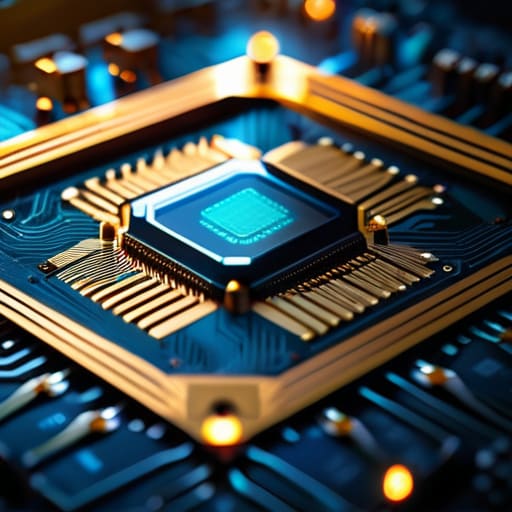
As we’ve journeyed through the inner workings of your devices, it’s clear that Hardware Root-of-Trust isn’t just some dusty technical specification buried in a manual. From the moment we forged that immutable boot process in the silicon itself to the way the TPM acts as our digital vault, we’ve seen how these layers work in tandem. Without this foundation, our entire digital existence would be as precarious as a starship with a failing warp drive in the middle of a black hole. By establishing a verifiable chain of trust right at the hardware level, we ensure that the software running your favorite apps hasn’t been hijacked by some rogue, sentient virus before you even hit the power button. It is the unbreakable bedrock that keeps the chaos at bay.
Stepping into the future of tech can often feel like walking onto the bridge of the Enterprise for the first time—equal parts exhilarating and slightly overwhelming. But remember, understanding the “how” and “why” behind security makes you more than just a passenger in this digital galaxy; it makes you a navigator. Don’t let the complexities of silicon-level security intimidate you. Instead, let them spark your curiosity. As we continue to build increasingly complex gadgets and smarter drones, knowing that there is a cosmic anchor holding our systems steady allows us to push the boundaries of what’s possible. Keep exploring, keep questioning, and stay curious, because the next great technological adventure is just one boot sequence away.
Frequently Asked Questions
If the hardware itself is the "anchor," what happens if a hacker finds a way to bypass the physical silicon level—is there a backup plan?
That is the million-dollar question! If someone manages to breach the silicon level, it’s like a rogue AI infiltrating the mainframe in Star Trek—it’s a total system crisis. In that scenario, we rely on “Defense in Depth.” Think of it as layered planetary shields: if the first one fails, you’ve got encrypted memory, secure enclaves, and continuous runtime monitoring waiting in the wings to catch the intruder before they take over the whole galaxy.
Does having a Hardware Root-of-Trust actually slow down my device's boot time, or is the security check happening in the blink of an eye?
That’s a fantastic question! It’s like wondering if adding a heavy security shield to a starship makes it too sluggish to jump to lightspeed. The short answer? Not really. While the RoT performs these vital integrity checks, it happens at the silicon level—meaning it’s incredibly efficient. It’s more like a lightning-fast automated gatekeeper than a slow-moving checkpoint. You get that cosmic-level security without feeling like your device is stuck in a slow-motion glitch.
Can I actually see or manage these security layers on my own gadgets, or is this all just "black box" magic happening behind the scenes?
It feels a bit like trying to peek into the Matrix, doesn’t it? For most of us, these layers are indeed “black box” magic, tucked away in the silicon where we can’t touch them. However, you aren’t totally in the dark! While you can’t manually rewire the chip, tools like BIOS/UEFI settings or specialized security dashboards let you peek at the status of your Secure Boot. You’re more like a starship captain monitoring sensors than an engineer in the engine room.


Don’t Let Digital Pirates Board Your Ship: a Galactic Guide on How to Secure Your Home Wireless Network

My Wrists Stopped Hurting: Why I Switched to a Split Mechanical Keyboard

A Material Guide to the Different Types of 3d Printing Filaments
About The Author

Ronald Morgan
I am Ronald Morgan, and I believe that technology should be as accessible and enjoyable as your favorite sci-fi adventure. With a background deeply rooted in the innovation of Silicon Valley and a passion for storytelling, I strive to make sense of modern tech by blending technical expertise with a playful narrative. My mission is to demystify the digital world, turning complex concepts into engaging stories that ignite curiosity and empower you to explore the tech universe with confidence. Join me as we navigate this ever-evolving landscape, one whimsical reference at a time.