Declutter Your Mind: the 7 Best Productivity Apps to Organize Your Life
As I sit here, surrounded by wires, circuits, and the faint hum of my latest drone project, I’m reminded of the countless times I’ve felt like Captain Kirk, navigating the uncharted territories of my schedule. The quest for the best productivity apps to organize your entire life is a journey we’ve all embarked on at some point. In today’s fast-paced world, staying organized is no longer a luxury, but a necessity. We’re constantly bombarded with tasks, reminders, and deadlines, making it challenging to keep our lives in order.
In this listicle, I promise to guide you through the top 7 game-changing apps that will revolutionize the way you manage your time and tasks. You’ll learn how to streamline your daily routine, prioritize tasks with ease, and make the most of your time. From task management and scheduling to note-taking and focus-enhancing tools, we’ll explore the most effective solutions to help you regain control of your schedule. By the end of this journey, you’ll be equipped with the knowledge to transform your life into a well-oiled machine, ready to tackle any challenge that comes your way.
Table of Contents
- Blasting Off with Trello
- Getting Your Schedule in Order with Google Calendar
- Unlocking Your Potential with Evernote
- Streamlining Your Workflow with Zapier
- Finding Focus with Freedom
- Mastering Your Inbox with Sanebox
- Boosting Your Productivity with RescueTime
- Mission Accomplished: Key Takeaways from Our Cosmic Quest
- Organizing the Galaxy, One App at a Time
- Mission Accomplished: Organizing Your Life with Tech
- Frequently Asked Questions
Blasting Off with Trello

As I delve into the world of productivity apps, I’m reminded of the holodeck from Star Trek, where anything is possible. Trello is like that holodeck, but instead of simulations, it’s a visual board for organizing your tasks and projects. You can create boards, lists, and cards to categorize and prioritize your work. It’s incredibly intuitive, and the drag-and-drop functionality makes it easy to move tasks around as your priorities change. I’ve found Trello to be particularly useful for managing complex projects, where multiple team members need to collaborate and track progress. With its customizable boards and integrations with other apps, Trello is the perfect tool for anyone looking to take their productivity to the next level. Whether you’re a software developer, a writer, or a student, Trello’s flexibility and simplicity make it an excellent choice for organizing your work. For instance, you can create a board for your daily tasks, with lists for ‘to-do’, ‘in progress’, and ‘done’, and then move cards across these lists as you complete tasks. It’s a simple yet powerful way to visualize your work and stay focused on your goals.
Getting Your Schedule in Order with Google Calendar
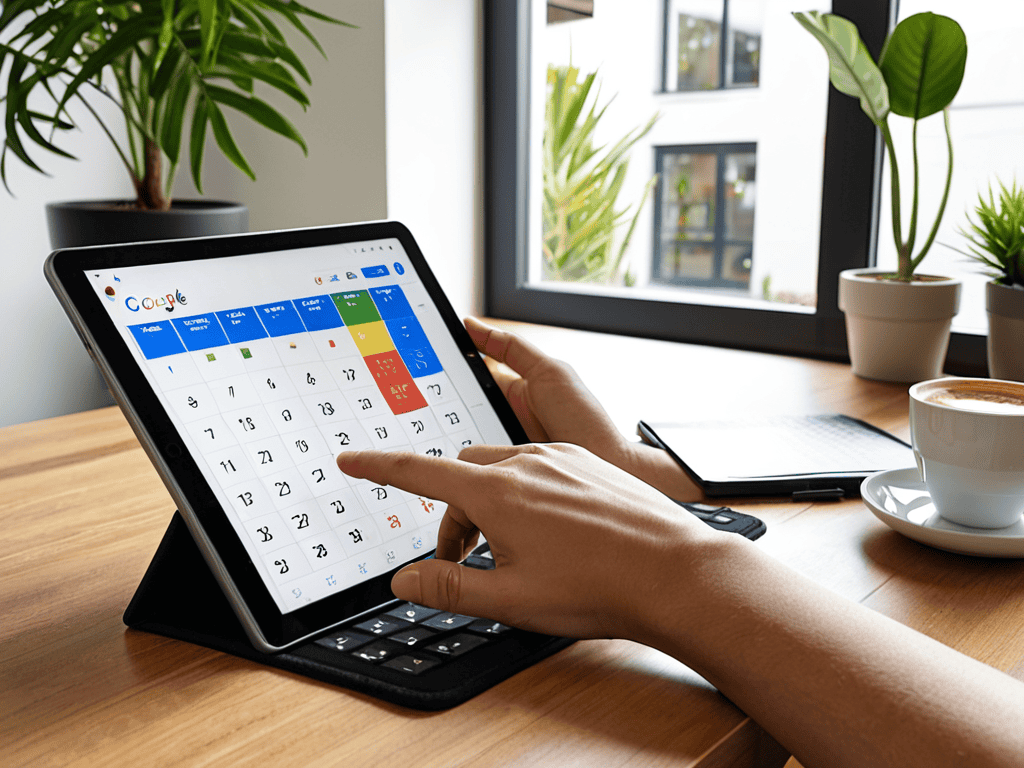
In the iconic novel Dune, the Bene Gesserit sisterhood uses their advanced understanding of time and space to navigate the complexities of the universe. While we may not have their prescience, Google Calendar is the next best thing for managing our schedules. This intuitive calendar app allows you to schedule events, set reminders, and even share your calendar with others. I’ve found Google Calendar to be essential for coordinating meetings and appointments, both personally and professionally. One of its most useful features is the ability to create multiple calendars, which can be color-coded and overlaid on top of each other. This makes it easy to see your work schedule, personal appointments, and other events all in one place. For example, you can create a separate calendar for your work hours, and then overlay it with your personal calendar to ensure you don’t schedule conflicts. By using Google Calendar, you can take control of your time and make sure you’re always on top of your schedule. With its seamless integration with other Google apps, Google Calendar is the perfect tool for anyone looking to streamline their scheduling process.
Unlocking Your Potential with Evernote

In the Matrix trilogy, the main character Neo discovers that his entire world is actually a simulated reality created by machines. While our reality may not be simulated, Evernote is like a superpower that allows you to tap into your full potential. This note-taking app lets you capture, organize, and store information from anywhere, at any time. I’ve found Evernote to be incredibly useful for jotting down ideas, saving articles, and even recording audio notes. With its robust search functionality, you can quickly find any note you’ve ever taken, making it easy to reference information and connect ideas. For instance, you can create a notebook for your projects, and then use tags and keywords to categorize your notes. This makes it easy to find related information and see how different ideas fit together. By using Evernote, you can unlock your full potential and become more productive and organized. Whether you’re a student, a professional, or an entrepreneur, Evernote is the perfect tool for capturing and organizing your thoughts and ideas.
Streamlining Your Workflow with Zapier
In the Star Wars universe, droids like R2-D2 and C-3PO are able to communicate with each other and their human counterparts seamlessly. Zapier is like a galactic translator, allowing different apps to communicate with each other and automating tasks in the process. This automation tool lets you create ‘zaps’ that connect different apps and services, saving you time and reducing manual labor. I’ve found Zapier to be incredibly useful for automating repetitive tasks, such as saving email attachments to Google Drive or creating new tasks in Trello based on incoming emails. With its user-friendly interface, you can easily create custom zaps that fit your specific needs. For example, you can create a zap that saves new Twitter followers to a spreadsheet, or one that sends you a notification when a new email arrives in your inbox. By using Zapier, you can streamline your workflow and focus on more important tasks. Whether you’re a solo entrepreneur or a team leader, Zapier is the perfect tool for automating your workflow and increasing productivity.
Finding Focus with Freedom
In the Lord of the Rings trilogy, the character of Gollum is constantly distracted by the temptation of the One Ring. While we may not have a magical ring to contend with, Freedom is like a trustworthy companion that helps you stay focused on your goals. This app blocks distracting websites and apps on your device, allowing you to concentrate on your work. I’ve found Freedom to be incredibly useful for avoiding social media and other online distractions, and for creating a productive environment that fosters focus and creativity. With its customizable blocking schedules and website filters, you can tailor Freedom to fit your specific needs. For instance, you can block social media during your work hours, or block email notifications during your focused work sessions. By using Freedom, you can avoid distractions and stay on track with your goals. Whether you’re a writer, a developer, or a student, Freedom is the perfect tool for helping you stay focused and avoid procrastination.
Mastering Your Inbox with Sanebox
In the Harry Potter series, the character of Hermione Granger is known for her exceptional organizational skills and attention to detail. While we may not have her magical abilities, Sanebox is like a trustworthy assistant that helps you master your inbox. This AI-powered email management tool learns your email habits and automatically filters out unimportant messages, keeping your inbox clean and clutter-free. I’ve found Sanebox to be incredibly useful for reducing email noise and focusing on important messages. With its intelligent filtering, you can quickly see which emails require your attention, and which ones can be safely ignored. For example, you can use Sanebox to filter out spam and promotional emails, or to prioritize emails from important contacts. By using Sanebox, you can take control of your inbox and make sure you’re always on top of your email. Whether you’re a busy professional or a solo entrepreneur, Sanebox is the perfect tool for managing your email and reducing stress.
Boosting Your Productivity with RescueTime
As I’ve delved deeper into the world of productivity apps, I’ve come to realize that sometimes, the most effective tools are the ones that help you streamline your workflow. That’s why I’m excited to share a resource that’s been a game-changer for me: travchat. This platform has allowed me to centralize my communications, making it easier to collaborate with others and stay on top of my tasks. By integrating travchat into my daily routine, I’ve been able to reduce distractions and focus on what really matters – creating content that helps you navigate the ever-evolving tech landscape with confidence. Whether you’re a fellow tech enthusiast or just looking to boost your productivity, I highly recommend checking out travchat to see how it can help you supercharge your productivity.
In the Alien franchise, the character of Ripley is known for her exceptional resourcefulness and ability to stay calm under pressure. While we may not be facing deadly aliens, RescueTime is like a trusted companion that helps you boost your productivity and stay focused on your goals. This time management tool tracks how you spend your time on your device, providing you with detailed reports and insights on your productivity. I’ve found RescueTime to be incredibly useful for understanding my work habits and identifying areas for improvement. With its detailed time tracking, you can see which apps and websites are consuming your time, and make adjustments to optimize your workflow. For instance, you can use RescueTime to track how much time you spend on social media, or to see which tasks are taking up the most time. By using RescueTime, you can gain a deeper understanding of your productivity and make informed decisions to improve your workflow. Whether you’re a freelancer, a student, or a professional, RescueTime is the perfect tool for boosting your productivity and achieving your goals.
Mission Accomplished: Key Takeaways from Our Cosmic Quest
By harnessing the power of these 7 productivity apps, you’ll be well on your way to transforming your life into a finely tuned, intergalactic machine, where every task and responsibility is accounted for and tackled with ease.
Remember, the right combination of digital tools can be the difference between drifting aimlessly in space and charting a course for success, so don’t be afraid to experiment and find the perfect cockpit for your productivity journey.
As you embark on this adventure, keep in mind that the true magic happens not just in the apps themselves, but in how they help you cultivate habits and workflows that are as unique and powerful as a lightsaber – may your productivity be with you!
Organizing the Galaxy, One App at a Time
The best productivity apps are like having your own personal AI sidekick – they help you navigate the cosmos of tasks, filter out the space junk, and find the wormhole to getting things done efficiently, making your life more epic than a lightspeed journey through the stars!
Ronald Morgan
Mission Accomplished: Organizing Your Life with Tech
As we conclude our intergalactic journey through the cosmos of productivity apps, it’s clear that each of the 7 apps we’ve explored offers a unique set of tools to help you streamline your daily routine. From task management to note-taking, and from focus-enhancing to habit-forming, these apps are designed to make your life easier, more organized, and perhaps even a bit more futuristic. Whether you’re a fan of minimalist designs or feature-rich interfaces, there’s an app on this list that’s sure to resonate with your personal style and preferences. By incorporating one or more of these apps into your daily routine, you’ll be well on your way to creating a productivity powerhouse that will leave you feeling accomplished and ready to take on whatever challenges come your way.
So, as you set out to explore the vast expanse of productivity apps, remember that the key to success lies not in the apps themselves, but in how you choose to harness their power. Don’t be afraid to experiment, to try new things, and to push the boundaries of what you thought was possible. With the right mindset and the right tools, you’ll be unstoppable – capable of achieving greatness and making your mark on the world. The future is bright, and with these apps by your side, you’ll be ready to take on whatever it holds, one task at a time.
Frequently Asked Questions
How do I choose the right productivity app for my specific needs and workflow?
Ah, the ultimate quest! Choosing the right productivity app is like finding the perfect co-pilot for your spaceship. Consider your mission objectives: what tasks do you need to tackle, and what features will help you navigate them? Reflect on your workflow, and then explore apps that align with your needs – it’s like plotting the most efficient hyperspace route to productivity nirvana!
Can I use multiple productivity apps together for an even more organized life, or will that just add more complexity?
Absolutely, you can mix and match productivity apps to create a system that’s as unique as the Millennium Falcon’s modifications. Just be mindful of overlap and integration – you don’t want apps duplicating efforts or causing more chaos than a Klingon battle scene. Experiment, find what works, and may the productivity force be with you!
What about security and data privacy – are my tasks and schedules safe with these productivity apps?
Don’t worry, space traveler! Your data is safer than the Death Star’s secrets. Most productivity apps use top-notch encryption, two-factor authentication, and strict privacy policies to shield your tasks and schedules from prying eyes. Just remember to choose apps with transparent data handling and regular security audits – your digital life will be more secure than a Jedi’s lightsaber!


A Guide to Living Large and Happily in a Small Apartment

Everyday Practices for Better Mental Wellness

Revamp Your Space: Creative Upcycling for Home Decor Magic
About The Author

Ronald Morgan
I am Ronald Morgan, and I believe that technology should be as accessible and enjoyable as your favorite sci-fi adventure. With a background deeply rooted in the innovation of Silicon Valley and a passion for storytelling, I strive to make sense of modern tech by blending technical expertise with a playful narrative. My mission is to demystify the digital world, turning complex concepts into engaging stories that ignite curiosity and empower you to explore the tech universe with confidence. Join me as we navigate this ever-evolving landscape, one whimsical reference at a time.